What is a Packed file?
A packed file is an executable produced by a packer: the original program's code is compressed or encrypted and stored inside a new file alongside a small wrapper/stub.
- Packer: A program that reads an original executable and generates a new PE file containing (1) a stub, and (2) the original code/data stored in compressed or encrypted form. This transformation process is called packing.
- Packing is an sub-category of obfuscation. The goal of obfuscation is to make analyzing the application hard to analyze and to detect.
- Wrapper/stub: Executable code that decompress or de-encrypt the executable code and rebuilds the executable inside memory.
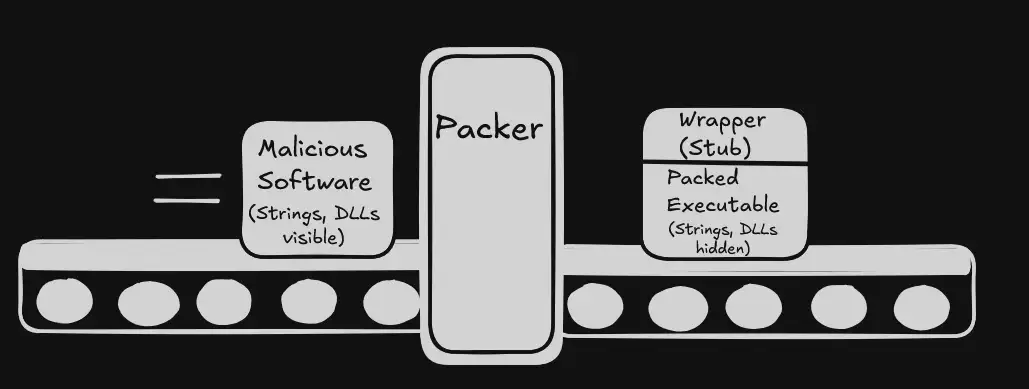
When the packed file runs, the stub get executed first - decompressing or decrypting the original payload into memory then transfers the execution to the payload.
One way I like think of an packed file is the act of wrapping an gift for your friends and family. The wrapping paper is your "wrapper/stub", and you're trying to hide the content of your present.

What are the signs of a Packed File?
- Strings are not visible - Less amount of strings are shown.
- Use of run-time dynamic loading
- GetProcAddress + LoadLibrary
- LdrGetProcAddr + LoadDLL
- Lack of Imports
- Use of run-time dynamic loading
- High entropy (randomness) - close to 8.
- .text (Virtual Size > Raw Size)
- Weird Section Names
Examples of a Packed File:
How do we deal with Packed Files?
To analyze packed files:
- Identify the packer that was used using PeID.
- Download the packer.
- Unpack the file using the packer.
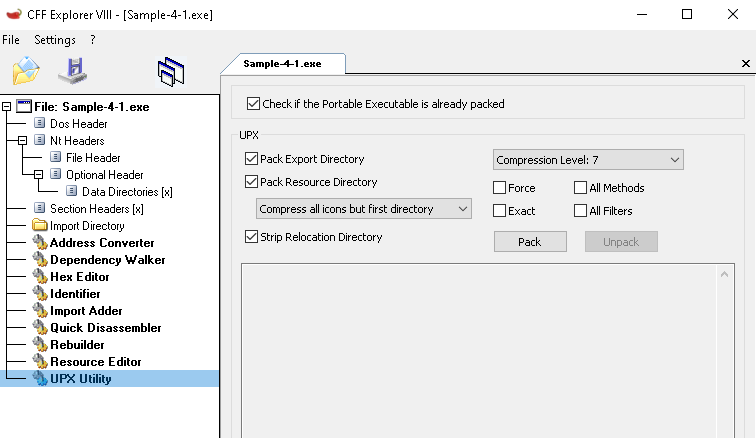
If the packer is UPX, then we can use CFF explorer to unpack it.