In this post, we're going to be covering the transformation from a source code to an application.
First Phase: Compiling - Build Process
When a programmer writes code, the will be in "Human-Readable Code". All that means is that the code is written in a form that is readable to us - we can understand what the code is doing.
Most of the coding language that we use are higher form of programming language such as: Python, Java, C#, C++, even C.
However, in this form, the code is not readable to computers. For computers to read the code and understand it, we need to transform the file into machine code - known as "Assembly".
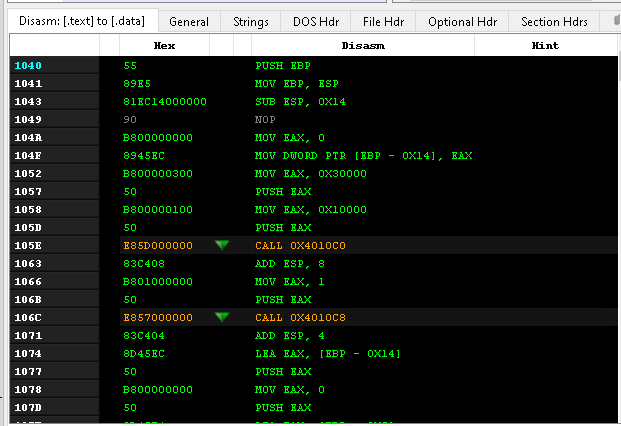
This transformation require an tool called the "compiler" which takes the source code and transform it to object files (.obj) which are machines code.

Additionally, the compiler will create and name the sections that is seen in the executable.
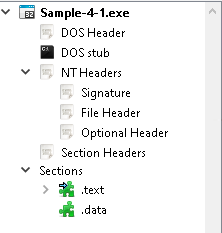
*Warning*: The picture above does not show all the PE sections that are available. There are many more out there.
Second Phase: Linking
The main star of this phase is the "Linker". Linking is the process of "hooking up" or connecting different pieces of code to make a finished, working program.
Analogy: You have a base Lego piece, and you connect many different type of Lego piece to create an tree, or light-post.
There are two different types of Linking:
- Static Linking (Build Time)
- Dynamic Linking (Load Time/Run-time)
- Load-time
- Run-time
Static Linking
Static Linking is essentially copying all the code in the standard library and putting all the code into the executable. No imports would be used.
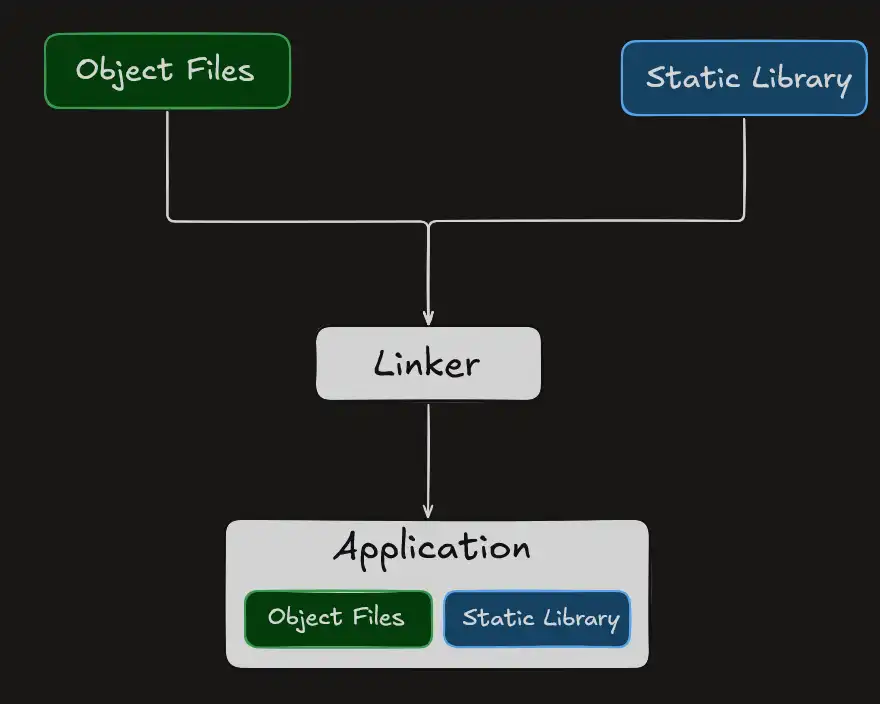
The side effect of static linking is that the
- size of the executable increase
- hard to differentiate code that originated from the library vs executable.
This process usually occurs at build time.
Dynamic Linking
Occurs doing Load-time and Run-time. This process involves loading the application in the memory.
The main cast for dynamic linking would be: "Loader, Import Table, Import Address Table, and DLLs".
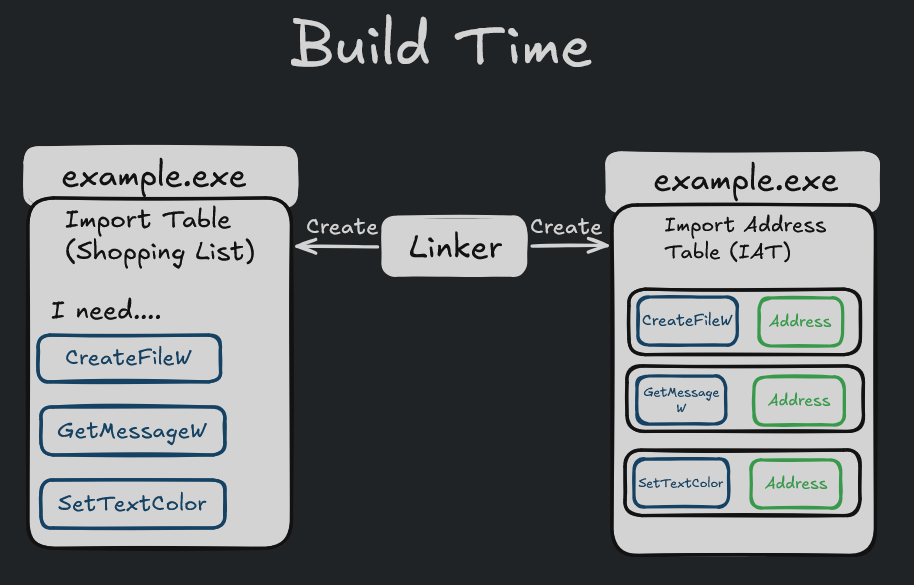
At build time, Import Table and Import Address Table (IAT) are created by the linker. Inside the Import Table, you will see the functions that the application need to borrow so that it can run or do it's task properly. You can think of the Import Table as a shopping list.
The Import Address Table is there for the Window Loader to write down where the function is located.
When the user click on the "example.exe", the window loader will read the import table of example.exe and then go to the DLL that contains the function. In this case, CreateFileW , GetMessageW, SetTextColor is part of kernel32.dll.
Once the loader arrives at kernel32.dll, the loader will look at the export table. Export table will contain the location of where the function lies. The loader will lookup the function and write down where the address of the function is.
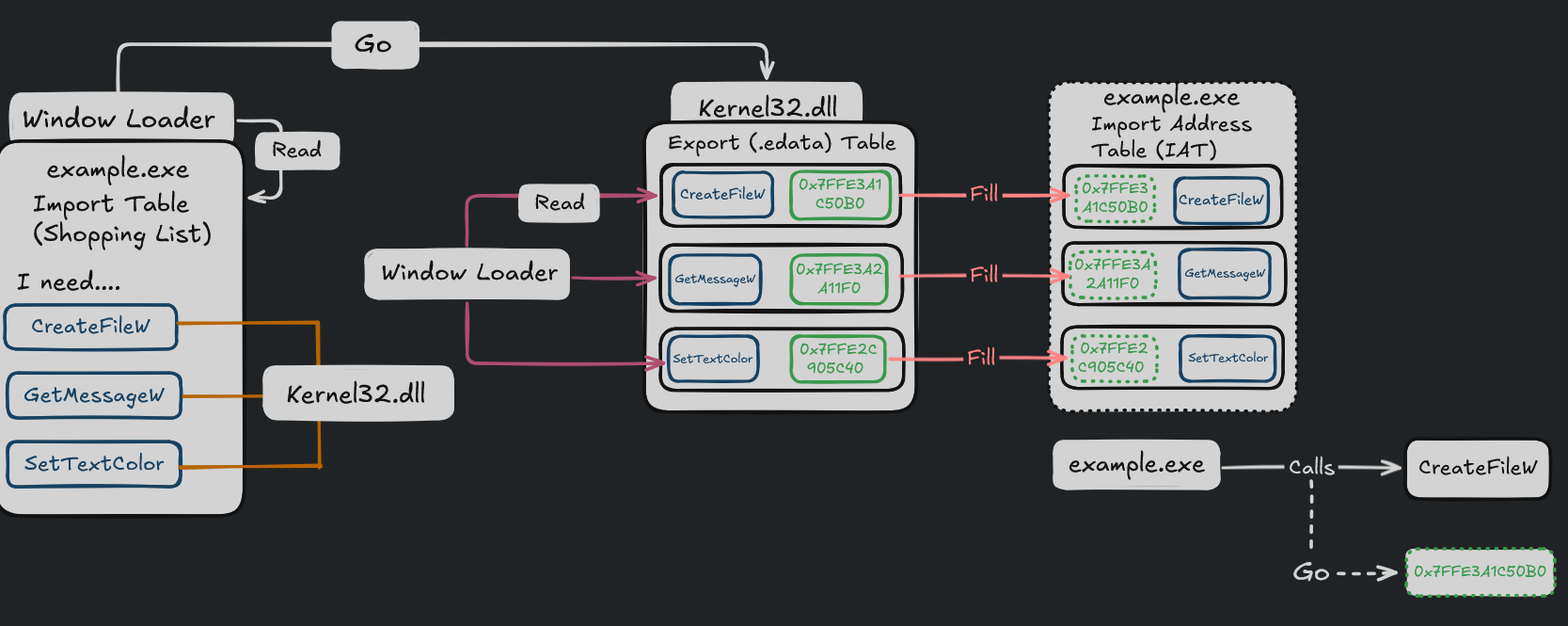
When the function calls the function, instead it will go to the address that it's located.
The effects of doing "Dynamic Linking" is:
- Keep the size of executable low.
- Increase in efficiency and code re-usability.
Run-time Dynamic Linking
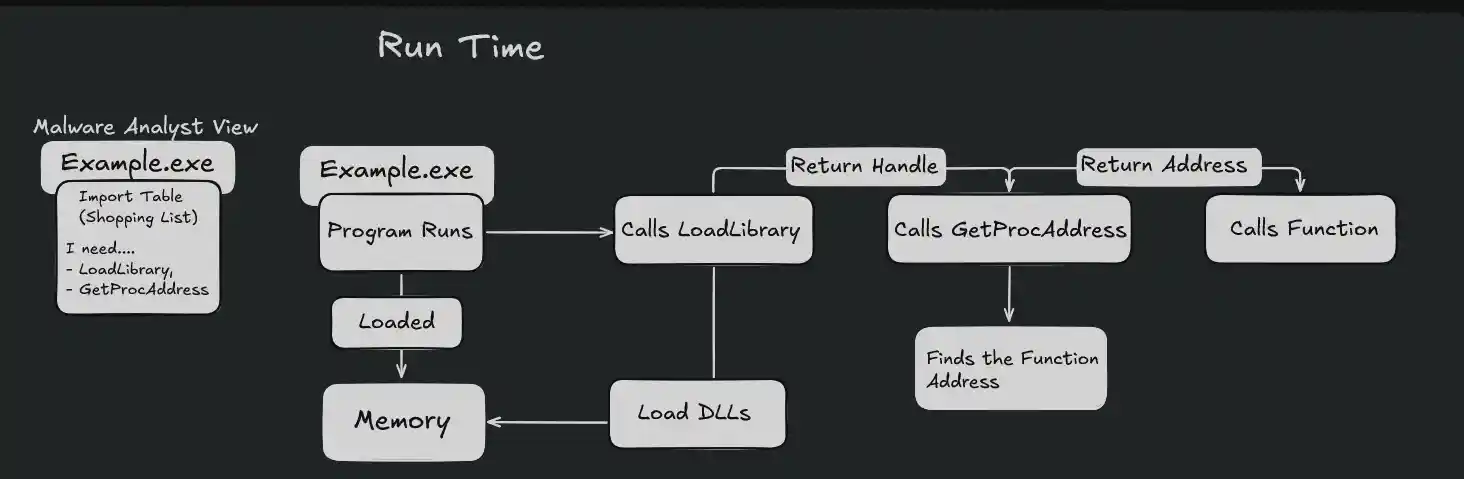
Run-time Dynamic Linking occurs right when the function is about to run. Before the function is run, there is little to none imports listed on the import list. The imports that might be listed are: "GetProcAddress and LoadLibrary" or "LdrGetProcAddress or LdrLoadDLL. These functions allows the program to load any functions during execution.