

Question 1: Upload the Lab01-02.exe file to VirusTotal. Does it match to any existing Antivirus definition?
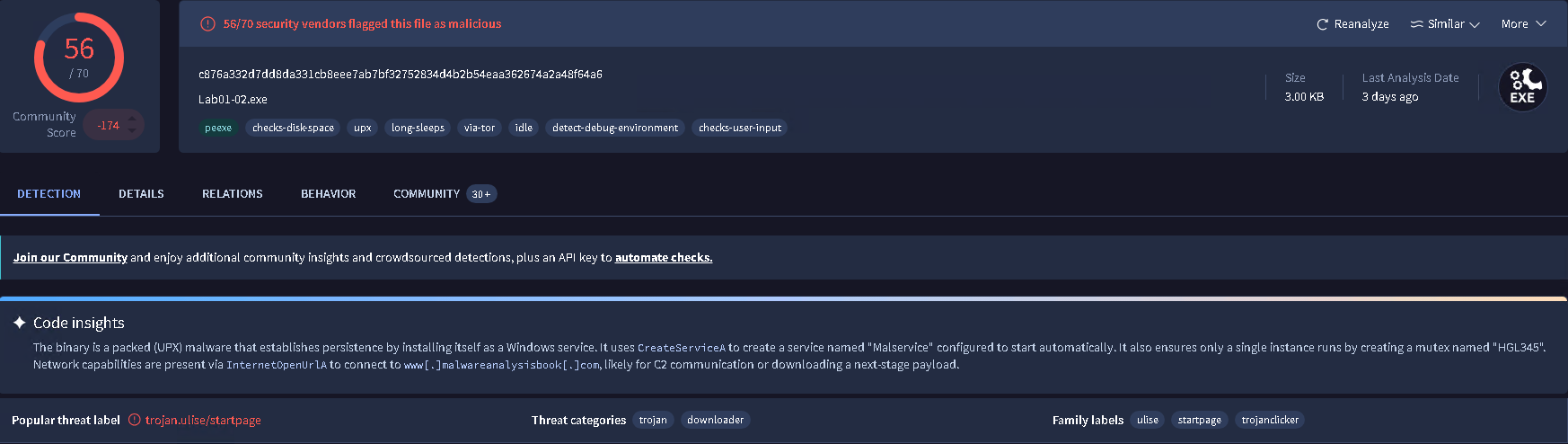
As shown above, virus-total classify this program to be an trojan downloader.
Question 2: Are there any indications that this file is packed or obfuscated? If so, what are the indicators? If the file is packed, unpack it if possible.
Method 1: Checking the Strings & Imports
For Lab01-02.exe, there's an total of 32 strings. There was a decent amount of Windows function being used. However, two functions that stand out for me was LoadLibraryA and GetProcAddress. These functions are primarily used to carry out run-time dynamic linking also known as dynamic api loading.
The idea behind run-time dynamic linking is that when the program starts and whenever the codes hit LoadLibraryA and GetProcAddress, that when the program starts importing functions - what the program imports is not listed in the import table. That being said, run-time dynamic linking is commonly found in packed executable which is the reason why I flagged it.
I covered the types of linking this article:
 Win Win
Method 2: Using PEiD to detect use of packer
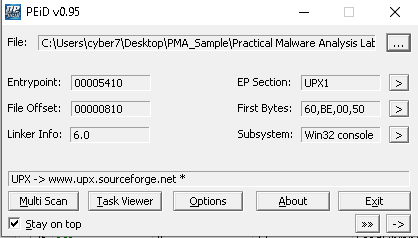
Looking at the image above, Lab01-02.exe is using a packer called UPX.
Method 3: Checking out the Sections
One thing that stands out is that the sections are not the usual sections names.
For example, .text, .data, .rsrc., .reloc, and .rdata. Instead, there's UPX0, UPX1, UPX2.
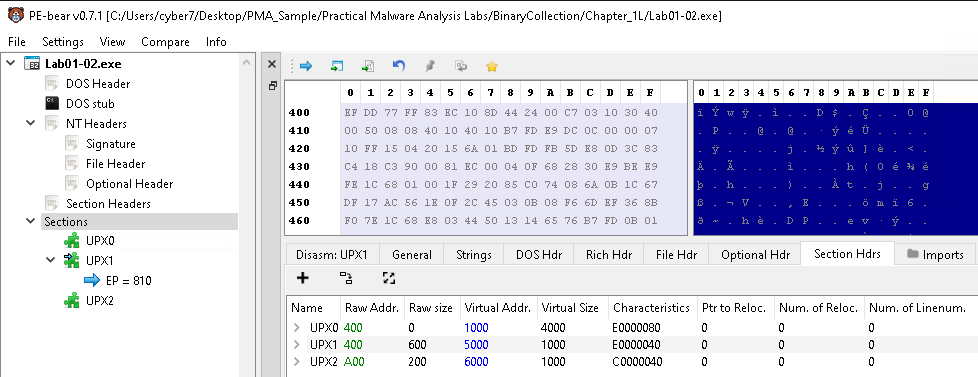
If you move your attention to the section header, you see that raw size (disk) of UPX0 is 0 and the virtual size (4000). This mean that when the application was sitting on disk, the application toke no space in the hard drive. But, when the program was loaded into memory, the amount of memory space that the application toke is expanded more than when the application was in disk.
Unpacking the program
Since we identify what packer the application was using, we can use that knowledge and google the packer name and download it so that we can unpack the executable.
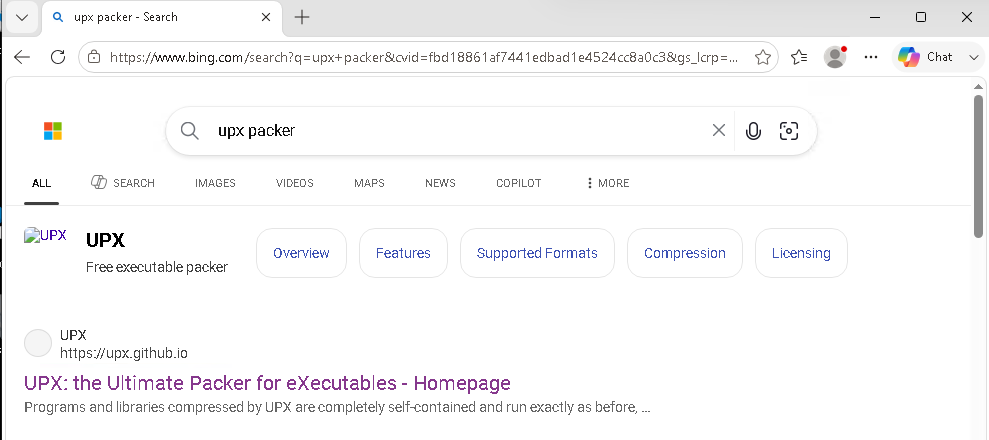
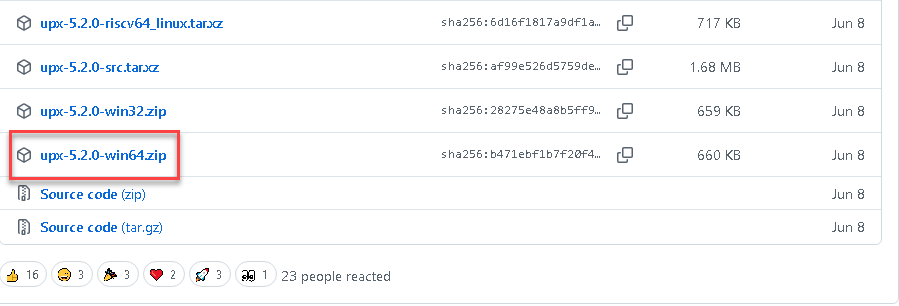
Then we're going to open a command prompt and jump inside the UPX folder.
Once, we're in the folder, we're going execute the following command:
upx -d "/file/path/to/packed/sample"
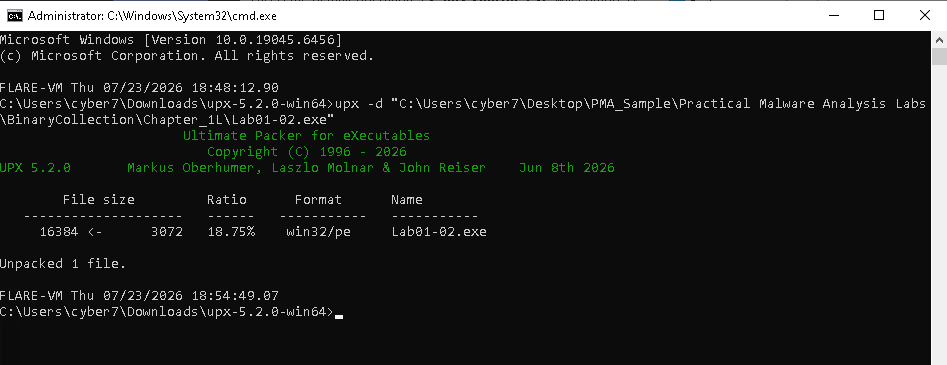
Now that's we're done, Lab01-02.exe should be unpacked. In the next section, I will be highlighting the difference between Unpacked vs Packed executable.
Unpacked executable vs Packed Executable
Sections
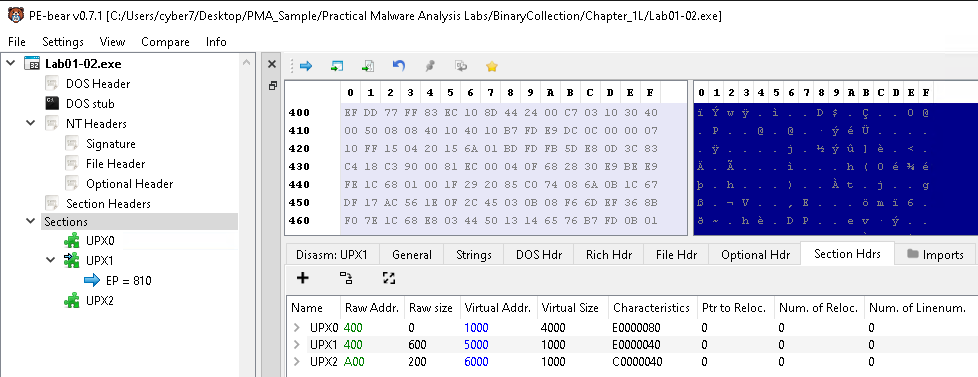
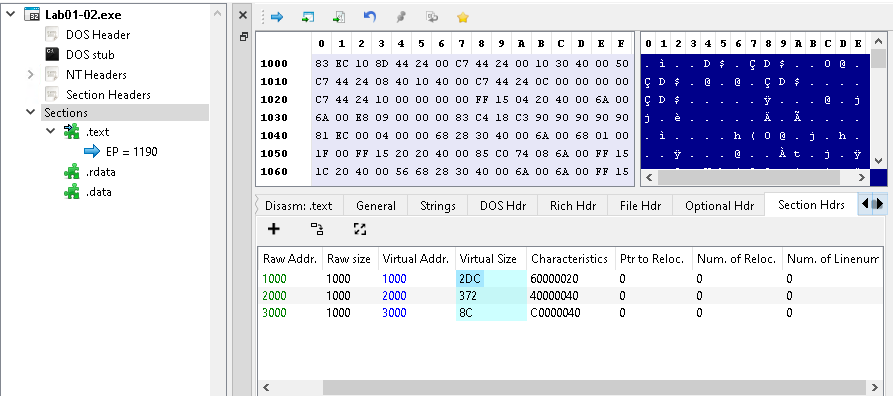
Comparing the two photos, we see that once the program is unpacked, the sections revert back to normal sections name. Additionally, we see that the raw size is almost equivalent to virtual size.
Imports
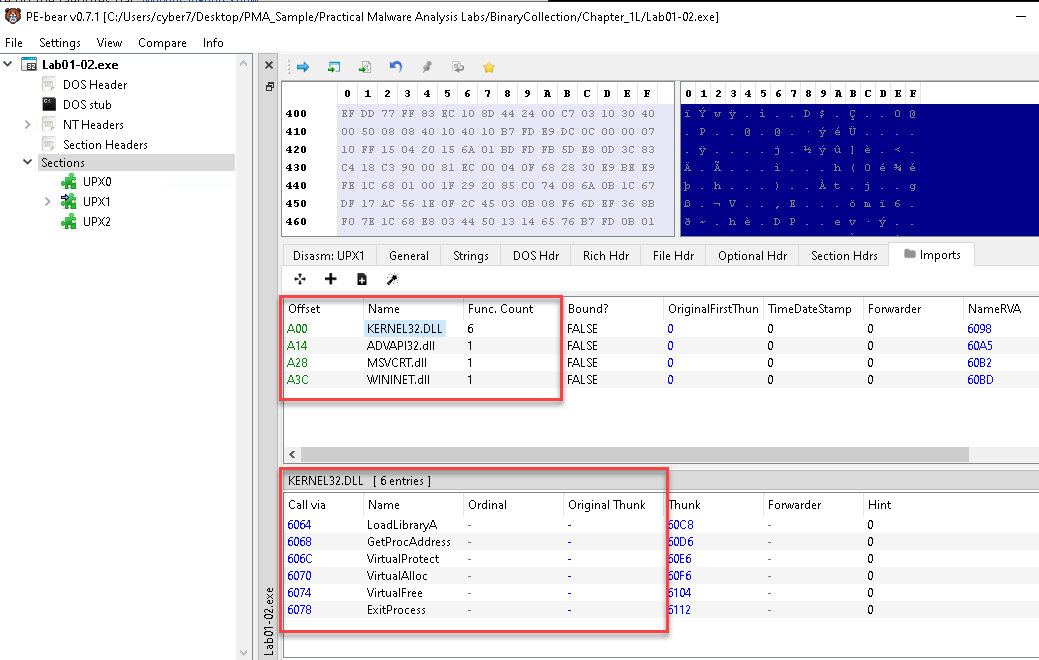
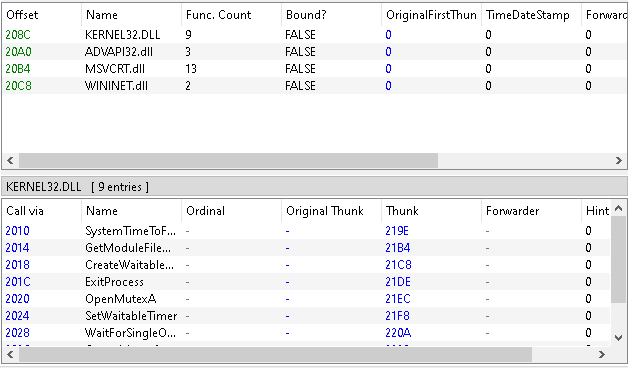
Comparing the two photos above, we see that the packed version of the application only had a total of 9 functions. Meanwhile, the unpacked version have 27 functions which is a 200% increase. For threat actor, packing their program allow them to conceal the functionality of their program forcing the analyst hands to unpack the program if they want to analyze the program or force them to skip basic static analysis and move on to dynamic analysis.
Strings
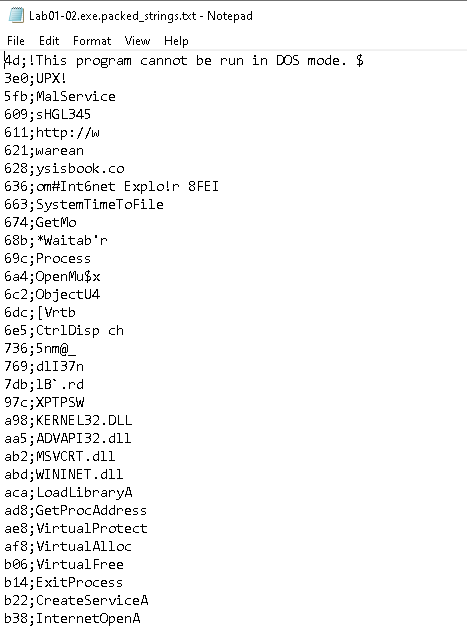
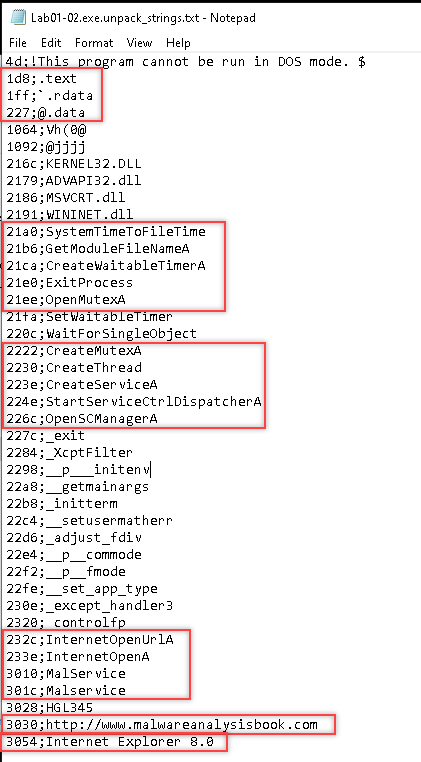
The main difference between the unpacked version and packed version is that in unpacked version, the overall theme is we get better context about the functionality of the program - we see more functions being revealed, more data (IP address, file paths, email address, URLs) being revealed.
For example: In the packed version, we didn't know that there was a link that point to http[://]malwareanalysisbook[.]com - the parts of the link were spread out and we didn't know that the malware could possibly be targeting Internet Explorer 8.0 vulnerabilities.
Question 3: Do any imports hint at this program functionality? If so, which import are they and what do they tell you?
When we unpack the program, more functions are revealed to us which allow us to get a bigger picture of what the program might be doing.
Here are some my guesses on the program functionality:
- Downloader Functionality:
- InternetOpenA: Possibly open the Internet or Browser -> Internet Explorer 8.0
- InternetOpenUrlA: After opening Internet Explorer 8.0, go to http[://]malwareanalysisbook[.]com to download payload
- Persistence through Services:
- OpenSCManagerA - Open Service Control Manager
- StartServiceCtrlDispatcherA - Related to Service Control
- CreateServiceA
- 3010;MalService <- Names of the Services?
301c;Malservice
- Waits for something?
- CreateWaitableTimerA
- SetWaitableTimer
Question 4: What host- or network-based indicators could be used to identify malware on infected machines?
Host-based:
- Check for services named: "MalService".
Network-based:
- Check for devices that made an request to http://www.malwareanalysisbook.com
Personal question: How would you use this information to guide your hunt as an SOC Analyst?
Let's review what we learned so far. We learned that Lab01-02.exe has the ability to create services. The reason why we reach to that conclusion was the following Windows API:
- OpenSCManagerA - Open Service Control Manager
- StartServiceCtrlDispatcherA - Related to Service Control
- CreateServiceA
- MalService <- Service name?
Additionally, If this was a incident, I would look into the network logs for anything pertaining to "http://www[.]malwareanalysisbook[.]com"


